

Throughout the year, we were busy evaluating and testing kids' games, and now it's time to round up the titles we deem the year's best.
We've organized what we consider the year's best children's software releases into the following categories:
| Language Arts | Logic | ||
| Math | Early Learning | ||
| ref | Arts & Creativity | ||
| Foreign Language | Fun & Games |
|
2005's Stars: Crazy Machines: Wacky Contraptions JumpStart Reading Karaoke (see below for more information about these outstanding computer games) |
||
|
|
||
 |
We're impressed with both the entertainment and educational value of the JumpStart Reading with Karaoke computer game. This game uses Voice Activated Learning that adds a new, high-quality level of interaction to an already excellent learn-to-read format. What does it do? Children learn to read and build small words through a variety of interactive activities. They speak into the microphone (included in the package), the game acknowledges their correct answers, and they sing the songs karaoke-style in a grand finale. Why do we recommend this title? This CD-ROM is uncommonly age-appropriate—just right for emergent readers. It effectively reinforces phonics and sight words and encourages children to read words aloud. Who is it for? The program is best for children who know their letters and who understand the concept that sounds are attached to letters. See our full review of this excellent software here. Our rating: A+ [For more information, user reviews, or to buy: Jumpstart Reading With Karaoke - paid link] |
|
|
|
||
|
Designed to drill math facts rather than teach kids how to add, subtract, multiply, and divide, Math Blaster: Master the Basics is effective. What does it do? Kids play arcade and platform games and work through eight levels of math content as they do. Addition, subtraction, multiplication, and division facts are drilled. Why do we recommend this title? This CD-ROM strikes a good balance between fun and learning. Who is it for? The program is appropriate for children who know how to add, subtract, multiply, and divide, but who need practice with the facts. Our rating of the game: A- [For more information, user reviews, or to buy (paid link): Math Blaster: Master the Basics at Amazon.com] |
|
|
|
||
|
Microsoft Encarta Reference Library 2006 (DVD-ROM or CD-ROM)
What does it do? Children will find the up-to-date information they need for school reports and projects. Project starters are also included, as well as games that help hone their trivia and geography skills. Why do we recommend this title? This series is vibrant and alive with up-to-date content and fabulous features that attract both kids and parents--and hold their interest. Kids won't only be turning to this resource for their homework needs -- they'll enjoy browsing the reference library just for the fun of it! Who is it for? Best for children ages 7 and up. Adults will turn to this reference suite as well. [For more information, user reviews, or to buy: Microsoft Encarta Premium 2006 CD/DVD at Amazon.com - affiliate link*] Our rating of the software: A+ |
|
 |
Best for encyclopedia beginners, World Book 2006 streamlines information for young researchers, providing them just the right amount of information about typical subjects kids need to know about. Although they will outgrow it, children who are starting out in the world of research and school projects will find this title invaluable, easy to use, and inviting to browse. Most importantly, this program is easy to read. Our Rating: A [For more information, user reviews, or to buy: (affiliate link) World Book Encyclopedia 2006]
|
|
|
|
||
|
 Eazy Speak Spanish/Eazy Speak French Eazy Speak Spanish/Eazy Speak French
In the wacky cartoon world of Doki, children and adults learn Spanish intuitively as they visit different parts of the Doki city. At the supermarket, they boost their vocabulary words in Spanish as a cashier names each product on the belt. Users order dinner step by step at the restaurant, reserve a hotel room and a flight, replace body parts at the hotel, and more. What does it do? Instead of following lessons, kids pick and choose where they want to go. In each area, there is at least one lesson of sorts in which children follow a mini story that introduces the vocabulary for the area. Games and question-and-answer quizzes help to test, reinforce, and expand the main lesson. Why do we recommend this title? A few things set this title apart. One is its humor (sometimes irreverent), another is its large content, and yet another is its mish-mash approach. The program is impressively unique and fresh. It's unusual, no doubt, and this keeps kids (and adults) playing the game. Who is it for? Best for children ages 10 and up who are already studying the foreign language, and who could benefit from some extra practice. Our Rating: A See our full review of the program. [To buy: Eazyspeak Spanish Levels 1 and 2 (PC & Mac) or Eazyspeak French Levels 1 and 2 (PC & Mac) - affiliate links] |
|
|
|
||
|
Rube Goldberg fans and puzzle gamers will have a great time with this game. Players build wild and wacky contraptions in puzzle or freestyle modes. A bit of physics is part of the whole experience. Kids work through level after level of puzzles. They begin with simple tasks—for example, they position a spring in the right spot so that a box will bounce off it and knock over a shaky stack of boxes, and they land a tennis ball in a bucket using a magnet—and then work their way up to more complex contraptions. These are pure brainteasers—simulations that remind us what software should be. Parents will not only be pleased their kids are playing the game, many will want to join in on the fun. Exceptional! Our Rating: A+
|
|
|
|
||
|
Letters on the Loose is an educational game cartridge for the Leapster L-Max. If you don't already own the Leapster L-Max Multimedia Learning System (a portable game unit for young children), you might seriously consider purchasing it. Letters on the Loose is just one of many currently available educational games for the L-Max. What does it do? Children interact with the game using the arrow keys, attached special pen, and by touching the Leapster L-Max screen. In this game, kids help collect letters who have run away. If you are familiar with the Leapfrog Letter Factory videos, you'll recognize the adorable little alphabet characters in Letters on the Loose. One of the most notable features of the game is the ability to practice writing letters using the stylus pen! Because children love the interactivity of the Leapster L-Max, this feature is especially useful for motivating children who are not very enthusiastic about practicing writing their letters! Why do we recommend this title? The portability of the Leapster L-Max is a huge draw. The game is truly fun and gently challenging, offering children to learn and play "on the go". Who is it for? Kids learning their letters and letter sounds. Our Rating: A+ See our full review of this Leapster L-Max here. For more information, user reviews, or to buy: L-Max Game Letters on the Loose *affiliate link |
|
|
Kids are introduced to using the computer along with Shelly the Snail in this extremely unique software game. What does it do? Kids learn about the computer keyboard, the different parts of a computer, and become a "mouse-clicking pro" in this encouraging early learning title. Children earn stars as they play. They find letters on the keyboard, play a memory game, do some interactive coloring, connect dot-to-dots, and more. Why do we recommend this title? This program is unique in that it provides a very solid introduction to the computer and to the computer mouse for young children, it's colorful and bright, and it's very encouraging. Who is it for? Preschoolers new to the computer. Our Rating: A For more information or to buy: see the company's website: ABT Interactive |
|
 |
This software features the adorable characters from Blue's Room and is designed in such a way that preschoolers have a great time as they develop some important early concepts. What does it do? The program features a number of activities, each of which is quite engaging. Kids search for objects and characters in one game hosted by Polka Dot (whose speech is not always clear, unfortunately), find and position puzzle pieces, choose words to complete stories, learn new vocabulary words, and guess what Doodle is drawing. Why do we recommend this title? The activities in the game are enjoyable and quite original. Children and their parents will be floored by the graphics--they're irresistible. You won't find your standard preschool fare here (no ABC's and 123's), but you will find some engaging games that are far from run-of-the-mill. More of them would have been even better. Who is it for? Preschoolers, whether they're fans of the television show or not. Our Rating: A See our full review of this software game. For more information, user reviews, or to buy: Blue's Room: Blue Talks - affiliate link
|
|
|
|
||
|
A game that knocked our socks off this year is Cosmic Blobs Lab Rat Edition, a 3D animation program for kids that is nothing like anything we've seen to date. Why do we recommend this title? Kids morph, rotate, and animate blobs in unique ways as they learn quite a bit about animation and working with graphics. Who is this game for? Best for children who love to experiment and create images on the computer, ages 9 and up. Our Rating: A+ [For more information, user reviews, or to buy: Cosmic Blobs: Lab Rat Edition (PC &Mac) - affiliate link at Amazon.com]
|
|
|
Kid Pix has been a much-loved creativity program for years. Teachers and kids thoroughly enjoy the program with its animated stickers and stamps, wacky brushes and fun art tools, realistic paint effects, unique "sound art", and more. Children can edit digital photos, and teachers love the project starters, templates, and activity suggestions. Why do we recommend this title? This new version, Kid Pix Deluxe 4, features new Teacher tools, new print options, bilingual (English and Spanish) modes, and other enhancements that were a result of teacher and student input. Kid Pix is definitely not just for schools - it is a wonderful program to have at home. Who is this game for? Children ages 4-5 and up. Our Rating: A [For more information, user reviews, or to buy: Kid Pix Deluxe 4 at Amazon.com - affiliate link*] |
|
|
|
||
|
The Nancy Drew series of software is revered and long-standing. This title is the first of the series to feature a retro look and feel in honor of Nancy Drew's 75th anniversary. Set in the 1930's, Nancy Drew: Secret of the Old Clock is complete with vintage cars, clothes, and dialogue. It's based on the first Nancy Drew book in which Nancy races against the clock to save 17-year old Emily Crandall from financial and emotional ruin. Why do we recommend this title? Children get the opportunity to step into teen sleuth Nancy Drew's shoes as she interviews mysterious characters, solves plenty of logic puzzles, and more. Kids will relish the chance to play detective. Fun, exciting, and challenging! Who is this game for? Best for kids who are up to the challenge of a mystery adventure, approximately ages 11 and up. Our Rating: A See our review of the game [For more information, user reviews, or to buy: (paid link) Nancy Drew: Secret Of the Old Clock]
|
|
|
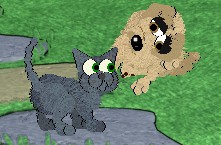
Perfect for rainy days, Petz is a friendly virtual pets computer game that kids love. What does it do? Children choose petz from a variety of breeds of both cats and dogs, care for them, play with them, and play mini-games. Why do we recommend this title? Pets don't die or grow old, and the software has long-lasting appeal. Who is it for? Best for children, ages 5 to 9, who love free-play computer games. See our full review of Petz here. [For more information, user reviews, or to buy: Petz: Dogz 5 and Catz 5 Compilation - affiliate link - at Amazon.com] |
|
| December 2005 Comments? Email us. |

 JumpStart Reading with Karaoke


 This latest edition of an excellent reference software suite is not only beautiful to look at, it's filled with multimedia and helpful content and easy to use. This reference library—including an electronic encyclopedia, atlas, dictionary, thesaurus, and more—will help make any family's research efforts easier. It makes a fabulous gift for the family! The search feature is excellent, with content from all titles in the suite seamlessly integrated together. Streaming live media and easy updates contribute to an exceptional product. With Encarta Kids added to the product, children younger than 12 can enjoy the encyclopedia as well. The dictionary/thesaurus/almanac is contemporary, the "extras" (such as games, curriculum guides, report-writing feature, 3D virtual tours, and the Discovery Channel content, etc.) are fabulous, and the integration between the handpicked web links and the encyclopedia itself is smooth. Of course, all of the features that won our hearts in previous versions make Encarta Premium 2006 a must-own family software program. CD-ROMs and a DVD-ROM are included in the same package.


 Blue's Room: Blue Talks


 Nancy Drew: Secret of the Old Clock
 Petz
Petz